
A successful launch of a WordPress website is critical to achieving your online goals. It is the first introduction to your website for potential visitors and customers, and it can leave a lasting impression. A successful launch ensures that your website looks professional, is easy to navigate and conveys the right message.
A successful launch of your WordPress website can also help increase your online visibility and generate more traffic to your website. This can lead to more leads, customers and sales. In addition, a successful launch can also help build a positive reputation and strengthen your brand.
Summary
- A successful WordPress website launch is vital for achieving online goals.
- WordPress offers many advantages for creating a website, such as user-friendliness and flexibility.
- The cost of creating a WordPress website can vary, depending on the options and functionalities chosen.
- An analysis of the results of a successful WordPress website launch can help improve the website.
- A step-by-step guide to creating a WordPress website can help create a successful website.
Advantages of using WordPress to create a website
WordPress is a popular content management system (CMS) used by millions of websites around the world. It has many advantages over other CMS platforms, making it a good choice for creating a website.
One of the main advantages of WordPress is its user-friendliness. Even if you have no technical knowledge, you can easily create a professional website using WordPress. It has an intuitive interface and offers numerous themes and plugins to choose from.
In addition, WordPress is highly flexible and scalable. You can easily customise and expand your website as your business grows. It also offers numerous options for customising the design and functionality of your website.
Cost of creating a WordPress website
Creating a WordPress website can vary in cost, depending on several factors. The main costs involved in creating a WordPress website are hosting, domain name registration and any premium themes or plugins you want to use.
It is possible to create a WordPress website at no cost by using free themes and plugins. However, if you want a professional look and want to add more advanced features to your website, you may need to invest in premium themes and plugins.
To save costs when creating a WordPress website, consider using free themes and plugins, or opt for a cheaper hosting provider. You can also create and edit the content of your website yourself, instead of outsourcing it to a web designer.
Analysis of the results of a successful WordPress website launch
Analysing the results of your launch is essential to determine whether your goals have been achieved and to identify any areas for improvement. There are several tools available that allow you to measure the performance of your website, such as Google Analytics.
Google Analytics allows you to track the number of visitors, average time on site, bounce rate and conversion rate, among other things. By analysing this data, you can gain insight into your visitors' behaviour and determine which pages are performing well and which need improvement.
You can also collect feedback from your visitors and customers to determine whether your website is meeting their expectations. This can be done through surveys, interviews or social media monitoring.
Step-by-step guide to creating a WordPress website
Creating a WordPress website can seem intimidating if you have no web design experience. Fortunately, the process is quite simple and you can create a professional website step by step.
1. Determine your goals and target audience: Before you start creating your website, it is important to determine your goals and target audience. What do you want to achieve with your website and who do you want to reach?
2. Choose a domain name: Choose a domain name that is relevant to your business and easy to remember. Check whether the domain name you want is still available and register it with a domain name registration company.
3. Choose a hosting provider: Choose a hosting provider that is reliable and offers good performance. Make sure the hosting provider meets WordPress' technical requirements.
4. Download and install WordPress: Download the latest version of WordPress from the official website and follow the instructions to install it on your hosting account.
5. Choose a theme: Choose a theme that suits your business and goals. You can choose from thousands of free and premium themes available on the WordPress Theme Directory or other theme marketplaces.
6. Customise your theme: Customise the chosen theme to your liking. This can be done through the WordPress Customiser or by editing the CSS code.
7. Add content: Add content to your website, such as pages, posts and media. Make sure the content is relevant to your target audience and well organised.
8. Install plugins: Install plugins to extend the functionality of your website. You can choose from thousands of free and premium plugins available on the WordPress Plugin Directory or other plugin marketplaces.
9. Optimise your website: Optimise your website for search engines by adding relevant keywords, optimising the loading speed and improving the user experience.
10. Test and launch your website: Test your website thoroughly to make sure everything works properly and then launch your website to the public.
Downloading and installing WordPress
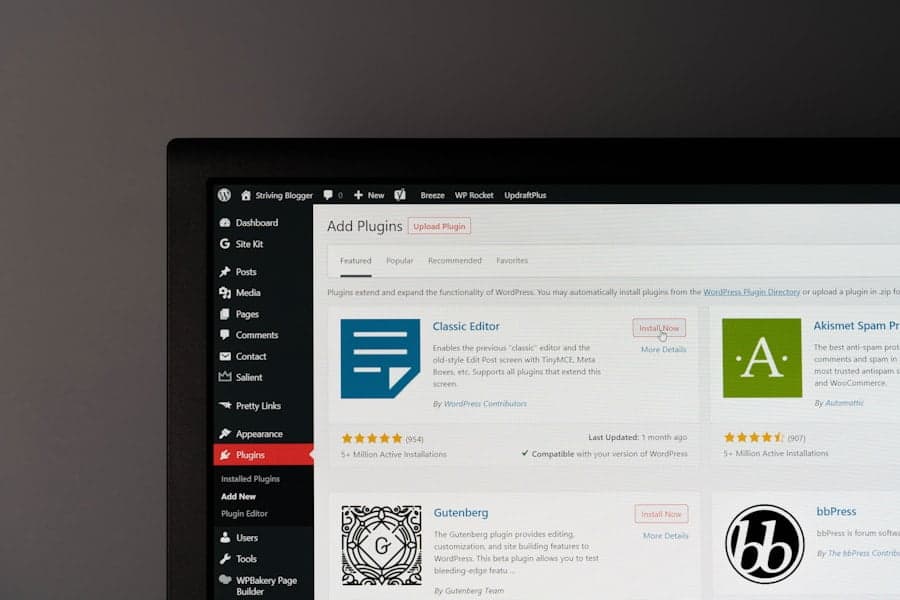
Downloading and installing WordPress is a simple process that takes just a few minutes. Follow these steps to download and install WordPress:
1. Go to the official WordPress website (wordpress.org) and click the "Download WordPress" button.
2. Save the downloaded file on your computer.
3. Log in to your hosting account and go to the control panel.
4. Look for the "File Manager" or "File Manager" option and open it.
5. Navigate to the folder where you want to install WordPress, e.g. the "public_html" folder.
6. Click the "Upload" button and select the downloaded WordPress file on your computer.
7. Wait for the file to upload and then click the "Return to file management" button.
8. Right-click on the uploaded WordPress file and select "Extract".
9. Delete the uploaded WordPress zip file.
10. Go to your website in your web browser and follow the instructions to complete the WordPress installation.
Choosing the right WordPress templates for your website
Choosing the right template is essential for creating a professional and attractive website. Here are some tips to help you choose the right template for your website:
1. Define your goals: Before choosing a template, it is important to define your goals and target audience. What do you want to achieve with your website and who do you want to reach?
2. Choose a responsive template: Make sure the template you choose is responsive, meaning it displays well on different devices and screen sizes.
3. Check ratings and reviews: Read ratings and reviews from other users to see what they think of the template. This can help you get a better idea of the quality and functionality of the template.
4. Watch the demo: Watch the demo of the template to see what it looks like and how it works. This can help you determine whether the template meets your expectations.
5. Check the customisability: Check that the template is easily customisable and that you can change the colours, fonts and layout to your liking.
6. Check compatibility: Check that the template is compatible with the latest version of WordPress and that it works well with the plugins you want to use.
Using WordPress extensions to extend the functionality of your website
WordPress extensions, also known as plugins, are a great way to extend the functionality of your website. Here are some examples of useful extensions you can use:
1. Yoast SEO: This plugin helps you optimise your website for search engines by adding relevant keywords, optimising meta tags and generating an XML sitemap.
2. Contact Form 7: This plugin lets you easily create and manage contact forms on your website.
3. WooCommerce: This plugin makes it easy to add an e-commerce shop to your website, including product management, payment gateways and shipping options.
4. Jetpack: This plugin offers a wide range of features, including website statistics, security, social media integration and more.
5. WP Super Cache: This plugin helps speed up your website's load time by generating static HTML files instead of dynamic pages.
6. Akismet: This plugin protects your website from spam by filtering unwanted comments and contact form submissions.
Tips for optimising your WordPress website for search engines
Optimising your WordPress website for search engines is essential to generate more organic traffic to your website. Here are some tips to optimise your website for search engines:
1. Use relevant keywords: Add relevant keywords to the titles, meta tags, URLs and content of your pages and posts.
2. Optimise loading speed: Make sure your website loads quickly by minimising image usage, using caching plugins and optimising code.
3. Make use of internal links: Add internal links between related pages and posts on your website to improve navigation and optimise user experience.
4. Make use of external links: Add external links to relevant and trusted websites to increase the credibility and authority of your website.
5. Use alt tags for images: Add alt tags to your images to help search engines understand what the images are about.
6. Make use of an SEO plugin: Use an SEO plugin such as Yoast SEO to help you optimise your website for search engines.
Maintaining your WordPress website for long-term success
Maintaining your WordPress website is essential for achieving long-term success. Here are some tips for maintaining your website:
1. Update regularly: Make sure you regularly update WordPress, themes and plugins to ensure your website remains secure and up-to-date.
2. Back up regularly: Back up your website regularly to make sure you always have a recent version in case of a failure or hacking attack.
3. Secure your website: Take measures to secure your website against hackers, such as using strong passwords, installing security plugins and regularly checking security settings.
4. Check performance: After making the necessary changes, it is important to check the performance of the system. This can be done by analysing data and comparing the results with the set targets. It is also important to collect feedback from users and stakeholders to determine whether the system is meeting their expectations and needs. By regularly monitoring performance, any problems or shortcomings can be identified and addressed in a timely manner. This helps to improve the efficiency and effectiveness of the system and ensure that it continues to meet set goals and requirements.
In our article "Website leasing: the benefits and possibilities", we explain why leasing a website can be an interesting option for entrepreneurs. It offers not only financial benefits, but also convenience and flexibility. If you are interested in starting an online shop, we also have a step-by-step guide for you: "Starting an online shop: a step-by-step guide". And if you want to know more about our privacy policy, please visit our page: Privacy policy.
FAQs
What are the costs of launching a successful WordPress website?
The cost of launching a successful WordPress website can vary depending on several factors, such as the type of website, functionalities, design and hosting. In general, costs can range from several hundred to thousands of euros.
What factors influence the success of a WordPress website?
There are several factors that can influence the success of a WordPress website, such as content quality, usability, website speed, search engine optimisation and security. It is important to pay attention to all these factors to launch a successful website.
What are the benefits of using WordPress for a website?
WordPress is a popular content management system that offers many advantages for building a website. Some advantages include its flexibility, user-friendliness, large community of developers and users, availability of thousands of themes and plugins, and search engine friendliness.
What are some important steps for launching a successful WordPress website?
Some important steps for launching a successful WordPress website include determining the purpose and target audience of the website, choosing an appropriate theme and plugins, creating quality content, optimising the website for search engines and testing the website on different devices and browsers.
How can I measure the performance of my WordPress website?
There are several tools available to measure the performance of a WordPress website, such as Google Analytics, Pingdom and GTmetrix. These tools can provide information on website speed, number of visitors, bounce rate and other important statistics. It is important to check these statistics regularly to improve website performance.