
A professional image is very important for any business. It is the first impression potential customers get of your company and can determine its success. A professional image exudes reliability, quality and expertise, making customers more likely to deal with your company.
A website plays a crucial role in creating a professional image for your business. It is often the first point of contact between you and potential customers. A well-designed and well-functioning website shows that your company is to be taken seriously and that you operate professionally. In addition, a website allows you to share information about your products or services, inform customers and provide contact details.
Summary
- A professional image is important for the success of your business.
- A WordPress website offers many advantages for your business.
- With a step-by-step guide, you can create your own WordPress website.
- Downloading and installing WordPress on your server is easy.
- Choose the right WordPress templates and extensions to enhance your website.
Benefits of a WordPress website for your business
A WordPress website offers many advantages for your business. Firstly, it is WordPress a user-friendly content management system (CMS) that makes it easy to manage and update your website without any technical knowledge. This means you can easily add new pages, upload images and edit text yourself.
In addition, WordPress offers a wide range of themes and templates you can use to shape your website. These themes are often professionally designed and can be customised to suit your specific needs. This means you can create a unique and professional website that matches the look and feel of your business.
Another advantage of WordPress is the ability to add plugins. Plugins are pieces of software that add extra functionality to your website, such as contact forms, social media integration and search engine optimisation. With these plugins, you can further improve your website and customise it to your needs.
Step by step: Creating a WordPress website
Creating a WordPress website can be done in several steps. It is important to plan well before you start, so you know what you want to achieve with your website and what functionalities you need.
The first step is to download and install WordPress on your server. This can usually be done through your hosting provider's control panel. Make sure you download the latest version of WordPress to ensure your website remains secure and up-to-date.
After WordPress is installed, you can start choosing a theme for your website. There are thousands of free and premium themes available that you can use to shape your website. Choose a theme that suits the look of your business and customise it to your needs.
Then you can add plugins to add extra functionality to your website. There are thousands of plugins available that you can use to improve your website, such as contact forms, social media integration and search engine optimisation. Choose the plugins that best suit your needs and install them on your website.
Download and install WordPress on your server
Downloading and installing WordPress on your server is a relatively simple process, but it does require some technical knowledge. Before you start, make sure you have chosen a hosting provider and registered a domain name.
To download WordPress, go to the official WordPress website (wordpress.org) and click the 'Download' button. You will then get a zip file containing the latest version of WordPress. Extract the zip file and upload the files to your server using an FTP programme.
After the files have been uploaded, you need to create a database for your WordPress installation. This can usually be done through your hosting provider's control panel. Create a new database and make a note of the database details, as you will need them during the installation process.
Next, go to your website URL and follow the on-screen instructions to install WordPress. You need to enter the database details you noted earlier and choose a username and password for your WordPress administrator account.
Choosing the right WordPress templates for your website
Choosing the right WordPress templates is essential for creating a professional and attractive website. There are thousands of free and premium themes available that you can use to shape your website.
When choosing a template, it is important to consider the look and feel of your business and the functionalities you need. Choose a template that suits your company's style and image. In addition, make sure the template is responsive, so that your website looks good on different devices, such as smartphones and tablets.
Also pay attention to the functionalities offered by the template. Some templates are more suitable for certain types of websites, such as blogs or web shops. Make sure the template offers the functionalities you need, such as a contact form, portfolio or e-commerce integration.
How WordPress extensions can improve your website
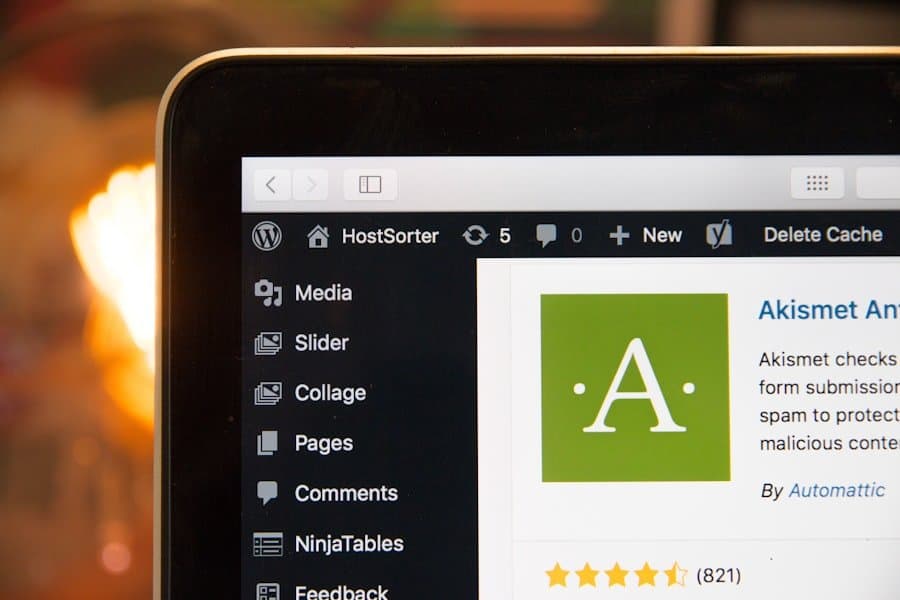
WordPress extensions, also known as plugins, can enhance your website and add extra functionality. There are thousands of plugins available that you can use to customise your website to your specific needs.
Plugins allow you to add extra functionality to your website, such as contact forms, social media integration, search engine optimisation and much more. These plugins can be easily installed and activated via the WordPress dashboard.
It is important to only install plugins that you actually need and regularly check for updates. Outdated plugins can affect the security and performance of your website, so make sure you install updates regularly.
The importance of responsive design for your website
The importance of responsive design for your website cannot be stressed enough. With the growing number of users visiting websites via smartphones and tablets, it is essential that your website looks and functions well on different devices.
Responsive design ensures that your website automatically adapts to the user's screen size. This means that the content and layout of your website are displayed in a user-friendly way, regardless of the device being used.
Responsive design not only improves the user experience, but also affects the search engine optimisation (SEO) of your website. Google has indicated that responsive websites rank higher in search results because they are more accessible to users.
Tips for optimising your WordPress website for search engines
Optimising your WordPress website for search engines is essential to ensure that your website is found well in search results. There are several steps you can take to improve your website's SEO.
First, it is important to use relevant keywords in the titles, meta tags and content of your pages. Research the keywords relevant to your business and integrate them naturally into your website.
It is also important to regularly add new content to your website. This can be in the form of blog posts, news articles or other forms of content. By adding new content regularly, you show search engines that your website is active and remains relevant.
Optimising the speed of your website is also important for SEO. Make sure your website loads quickly by optimising images, removing unnecessary plugins and using caching techniques.
How your WordPress website can contribute to lead generation
Your WordPress website can be a powerful tool for generating leads for your business. There are several elements you can add to your website to generate leads.
A contact form is an essential part of any lead generation strategy. Make sure the contact form is clearly visible on your website and make it easy for visitors to contact you.
In addition, you can add call-to-action buttons to your website to encourage visitors to take action. These could be buttons with text such as 'Contact us', 'Request a quote' or 'Subscribe to our newsletter'.
Adding testimonials and customer reviews to your website can also help generate leads. Potential customers are often interested in other customers' experiences and can be convinced to contact you based on positive reviews.
The importance of regular maintenance and updates for your WordPress website
Regularly maintaining and updating your WordPress website is essential to ensure that your website remains secure and up-to-date. WordPress and the plugins you use are regularly updated to plug security holes and add new features.
It is important to perform regular updates for WordPress and its installed plugins. This can easily be done through the WordPress dashboard. Make sure you back up your website before performing updates so that you can fix any issues if something goes wrong.
Besides performing updates, it is also important to back up your website regularly. This can be done manually through your hosting provider's control panel or using a plugin.
It is also a good idea to regularly check the performance of your website and fix any problems. Check the loading speed of your website, make sure all the links are still working and make sure your website displays properly on different devices.
By performing regular maintenance and updates, you ensure that your WordPress website remains secure, up-to-date and performing optimally. This contributes to your company's professional image and ensures that your website is found well in search results.
Read our article on how to use your WordPress website to build a professional image. If you are interested in increasing your sales, also check out our blog post on boosting your sales with an e-commerce website. Would you rather create a stunning website with Wix? No problem, we also have an article that helps you create a stunning website with Wix. Feel free to take a look!
FAQs
What is WordPress?
WordPress is a free and open-source content management system (CMS) that allows you to create and manage websites. It is one of the most popular CMSs in the world and is used by millions of websites.
How can WordPress contribute to a professional image?
WordPress offers many options for creating a professional website. Using themes and plugins, you can customise the functionality and look of your website to suit your needs. In addition, WordPress is user-friendly and you can easily add and edit content yourself.
Is WordPress secure?
WordPress is generally secure, but it is important to perform regular updates and take proper security measures. This includes using strong passwords, installing security plugins and regular backups.
Do I need technical knowledge to create a WordPress website?
No, you don't need any technical knowledge to create a WordPress website. There are many tutorials and manuals available that guide you through the process step by step. There are also many themes and plugins available that make it easy to create a professional website without technical knowledge.
Is WordPress suitable for all types of websites?
Yes, WordPress is suitable for all types of websites, from simple blogs to complex web shops. Using themes and plugins, you can customise the functionality and appearance of your website to suit your specific needs.